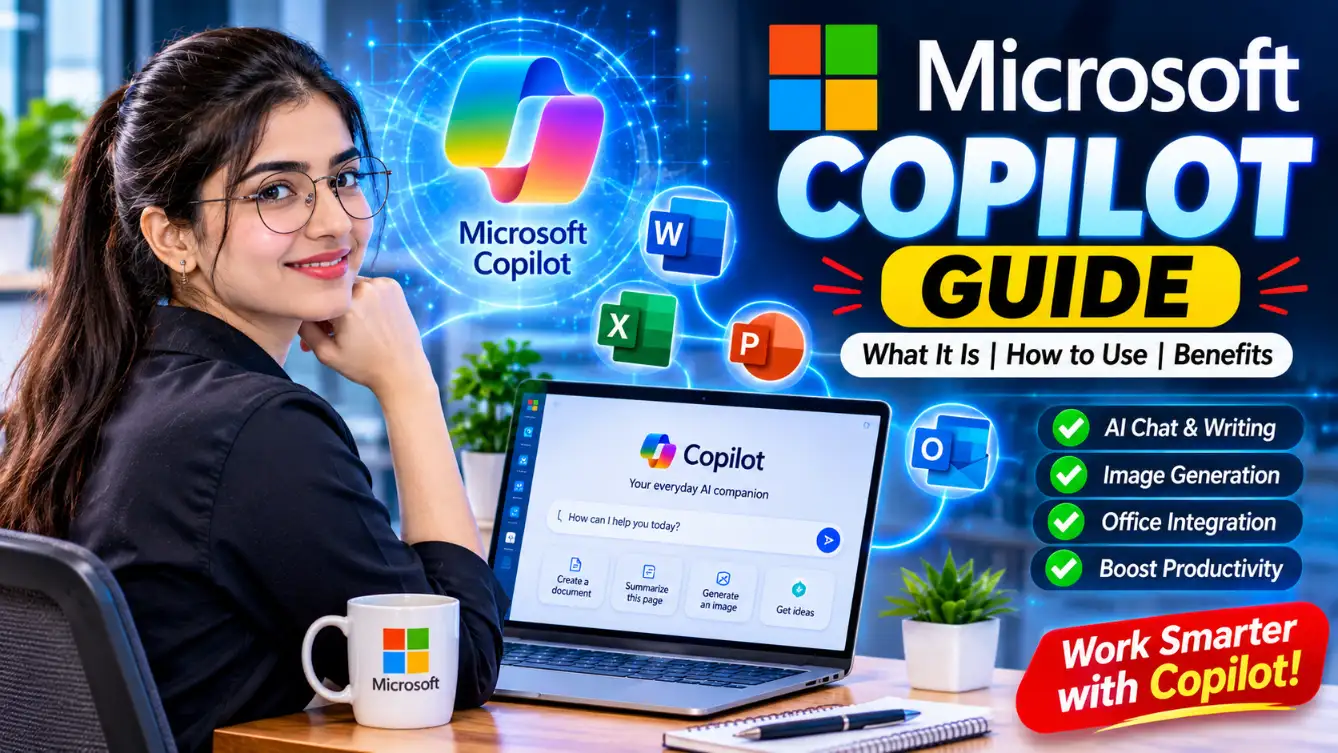
Artificial Intelligence (AI) ने Technology की दुनिया में तेजी से बदलाव किया है। आज AI की मदद से लोग Content Writing, Research, Image Generation, Data Analysis, Coding और Office Work जैसे कई कार्य आसानी से कर रहे हैं। इसी क्षेत्र में Microsoft ने अपना AI Assistant Microsoft Copilot पेश किया है।
Microsoft Copilot एक AI-powered Assistant है जो यूजर्स को सवालों के जवाब देने, जानकारी खोजने, Images बनाने, Documents तैयार करने और Productivity बढ़ाने में सहायता करता है।
इसकी खास बात यह है कि Microsoft Copilot केवल एक Chatbot नहीं है, बल्कि Microsoft के कई Products और Services के साथ भी काम कर सकता है। इसकी अलग-अलग सुविधाएँ Word, Excel, PowerPoint, Outlook और Teams जैसे Applications में उपलब्ध हो सकती हैं।
यदि आप Student, Teacher, Blogger, Business Owner, Freelancer या Office Employee हैं, तो Microsoft Copilot आपके लिए एक उपयोगी AI Tool साबित हो सकता है।
इस Complete Guide में हम जानेंगे कि Microsoft Copilot क्या है, इसे कैसे इस्तेमाल करें, इसके कौन-कौन से Features हैं और यह आपके दैनिक कार्यों को कैसे आसान बना सकता है।
Microsoft Copilot Kya Hai?
Microsoft Copilot Kya Hota Hai?
Microsoft Copilot एक Artificial Intelligence आधारित Digital Assistant है जिसे Microsoft ने विकसित किया है। यह Natural Language Processing और Large Language Models की मदद से यूजर्स के प्रश्नों को समझकर उनके अनुसार जवाब और सहायता प्रदान करता है।
आप इससे सामान्य भाषा में सवाल पूछ सकते हैं और अपने काम के अनुसार Instructions दे सकते हैं।
उदाहरण के लिए:
- किसी विषय पर Article लिखने के लिए कहना।
- किसी बड़े Document का Summary तैयार करना।
- किसी कठिन Topic को सरल भाषा में समझना।
- किसी विषय पर Research करना।
- Professional Email तैयार करना।
- AI की मदद से Image Generate करना।
Microsoft Copilot का उद्देश्य लोगों को कम समय में अधिक प्रभावी तरीके से काम करने में सहायता देना है।
Microsoft Copilot Kaise Kaam Karta Hai?
Microsoft Copilot AI Models और Natural Language Understanding Technology का उपयोग करता है। जब आप कोई Prompt या सवाल लिखते हैं, तो यह आपके निर्देशों को समझकर उपलब्ध जानकारी के आधार पर Response तैयार करता है।
कुछ Experiences Web Information का उपयोग करते हैं, जबकि Microsoft 365 के Licensed Versions में यह आपकी अनुमति और उपलब्ध Permissions के अनुसार Organizational Data के साथ भी काम कर सकता है।
Microsoft Copilot Kaise Use Kare?
Step 1: Microsoft Copilot Website Open Kare
सबसे पहले अपने Computer या Smartphone में Browser Open करें और Microsoft Copilot की Official Website पर जाएँ।
Official Website: https://copilot.microsoft.com/
Step 2: Sign In Kare
आप अपनी Microsoft Account से Sign In कर सकते हैं। उपलब्ध सुविधाएँ Account और Region के अनुसार अलग-अलग हो सकती हैं।
Step 3: Chat Box Mein Prompt Likhen
Sign In करने के बाद आपको Chat Interface दिखाई देगा। यहाँ अपना सवाल या काम लिखें।
उदाहरण:
“Explain Artificial Intelligence in simple Hindi with examples.”
Step 4: AI Response Check Kare
Copilot आपके Prompt के अनुसार Answer Generate करेगा। आप जरूरत के अनुसार Additional Questions पूछ सकते हैं या अपने उत्तर को और बेहतर बनाने के निर्देश दे सकते हैं।
Step 5: Follow-Up Prompts Use Kare
बेहतर Results प्राप्त करने के लिए Copilot को स्पष्ट Instructions दें।
उदाहरण:
“Is answer ko 500 words mein explain karo aur 5 examples bhi do.”
इस तरह आप Microsoft Copilot का उपयोग आसानी से शुरू कर सकते हैं।
Microsoft Copilot Ke Top 8 Best Features
1. AI Chat Assistant
Microsoft Copilot का सबसे महत्वपूर्ण Feature इसका AI Chat Assistant है। आप इससे किसी भी सामान्य विषय पर सवाल पूछ सकते हैं और जानकारी प्राप्त कर सकते हैं।
यह कठिन Concepts को सरल भाषा में समझाने, Ideas Generate करने और अलग-अलग Topics पर चर्चा करने में सहायता करता है।
Uses:
- General Knowledge
- Educational Questions
- Content Ideas
- Problem Solving
- Daily Assistance
2. AI Image Generation
Microsoft Copilot की मदद से Text Prompts के आधार पर AI Images Generate की जा सकती हैं।
आप अपनी जरूरत के अनुसार Image का Style, Background, Objects और Design Description दे सकते हैं।
Uses:
- Blog Featured Images
- Social Media Graphics
- Creative Artwork
- Presentation Images
- Marketing Visuals
3. Content Writing
Microsoft Copilot Content Writing के लिए भी उपयोगी है। इसकी सहायता से Articles, Emails, Social Media Captions और Professional Documents के Draft तैयार किए जा सकते हैं।
Uses:
- Blog Writing
- Email Drafting
- Social Media Posts
- Product Descriptions
- Creative Writing
4. Web Search and Research
Copilot Web Research में सहायता कर सकता है। यह विभिन्न विषयों पर जानकारी खोजने और उपलब्ध Sources के आधार पर उत्तर तैयार करने में मदद करता है।
Uses:
- Topic Research
- Technology Updates
- General Information
- Product Research
- Study Material
5. Microsoft Word Integration
Microsoft 365 में उपलब्ध Copilot Features की मदद से Word Documents तैयार करना, Existing Content को Rewrite करना और लंबे Documents का Summary बनाना आसान हो सकता है।
Uses:
- Document Drafting
- Report Writing
- Content Rewriting
- Document Summarization
- Professional Letters
6. Microsoft Excel Assistance
Excel में Copilot Data Analysis और Spreadsheet Tasks में सहायता कर सकता है।
यह Data को समझने, Formulas तैयार करने और उपलब्ध सुविधाओं के अनुसार Charts तथा Insights बनाने में मदद कर सकता है।
Uses:
- Data Analysis
- Formula Assistance
- Charts
- Data Summaries
- Spreadsheet Insights
7. PowerPoint Presentation Creation
Microsoft 365 Copilot की सहायता से Prompts या उपलब्ध Documents के आधार पर Presentations तैयार करने और Existing Slides को बेहतर बनाने में मदद मिल सकती है।
Uses:
- Business Presentations
- Educational Slides
- Project Presentations
- Meeting Slides
- Presentation Summaries
8. Email Writing with Outlook
Outlook में Copilot Emails के Draft तैयार करने, लंबे Email Threads का Summary बनाने और Writing Tone को बेहतर करने में सहायता कर सकता है।
Uses:
- Professional Emails
- Email Summaries
- Reply Suggestions
- Business Communication
- Email Drafting
Microsoft Copilot Ke Different Versions
Microsoft Copilot अलग-अलग जरूरतों के लिए विभिन्न Versions और Subscription Options में उपलब्ध है। इनका उपयोग General AI Assistance से लेकर Professional Office Work तक किया जा सकता है।
1. Microsoft Copilot Free
यह सामान्य यूजर्स के लिए उपलब्ध Free AI Assistant है। इसकी मदद से आप सवाल पूछ सकते हैं, Content लिख सकते हैं, Research कर सकते हैं और Images Generate कर सकते हैं।
2. Microsoft 365 Copilot
यह Microsoft 365 Applications के साथ AI Integration प्रदान करता है। इसकी सहायता से Word, Excel, PowerPoint और Outlook जैसे Apps में काम करना आसान हो सकता है।
3. Microsoft Copilot for Business
यह Organizations और Businesses के लिए बनाया गया है। इसमें Work Data Integration, Security Controls और Organizational Productivity से संबंधित सुविधाएँ उपलब्ध हो सकती हैं।
ध्यान दें कि Features और Usage Limits आपके Subscription, License और Region के अनुसार अलग-अलग हो सकते हैं।
Microsoft Copilot Free vs Paid
Microsoft Copilot का Free Version सामान्य AI Tasks के लिए उपयोगी है, जबकि Eligible Microsoft 365 Subscriptions में अधिक Advanced Features और Office Integration मिल सकते हैं।
| Features | Free Copilot | Paid Microsoft 365 Plans |
|---|---|---|
| AI Chat | Yes | Yes |
| Content Writing | Yes | Yes |
| Web Research | Yes | Yes |
| Image Generation | Limited | Higher Limits |
| Word Integration | Limited | Available in eligible plans |
| Excel Integration | Limited | Available in eligible plans |
| PowerPoint Integration | Limited | Available in eligible plans |
| Advanced AI Features | Limited | Plan dependent |
यदि आपको केवल सामान्य सवालों के जवाब, Content Writing और Research करना है, तो Free Version से शुरुआत कर सकते हैं। लेकिन यदि आप नियमित रूप से Microsoft Office Applications का उपयोग करते हैं, तो Paid Subscription उपयोगी हो सकता है।
Microsoft Copilot Ke Practical Uses
1. Students Ke Liye
Students Microsoft Copilot का उपयोग अपनी पढ़ाई को आसान बनाने के लिए कर सकते हैं।
- कठिन विषयों को सरल भाषा में समझना।
- Notes तैयार करना।
- Assignments के लिए Ideas प्राप्त करना।
- English Grammar सुधारना।
- Exam Preparation में सहायता लेना।
2. Teachers Ke Liye
Teachers Lesson Planning, Worksheets, Question Papers और Educational Presentations तैयार करने में Copilot का उपयोग कर सकते हैं।
3. Bloggers Ke Liye
Bloggers इसका उपयोग Article Ideas, SEO Titles, Meta Descriptions, Content Outlines और Blog Drafts तैयार करने के लिए कर सकते हैं।
4. Business Owners Ke Liye
Business Owners Professional Emails, Marketing Content, Business Reports और Presentations तैयार करने में Copilot की सहायता ले सकते हैं।
5. Office Employees Ke Liye
Office Employees Meetings के Notes, Email Drafts, Reports और Documents को व्यवस्थित करने के लिए इसका उपयोग कर सकते हैं।
Microsoft Copilot vs ChatGPT
Microsoft Copilot और ChatGPT दोनों लोकप्रिय AI Assistants हैं। दोनों Content Writing, Research, Brainstorming और अन्य सामान्य कार्यों में सहायता करते हैं, लेकिन इनके Ecosystem और Integrations अलग हैं।
| Comparison | Microsoft Copilot | ChatGPT |
|---|---|---|
| Developer | Microsoft | OpenAI |
| AI Chat | Yes | Yes |
| Content Writing | Yes | Yes |
| Image Generation | Yes | Yes |
| Web Research | Yes | Available |
| Office Integration | Microsoft 365 | Available through supported integrations |
| Coding Assistance | Yes | Yes |
| Productivity | Strong Microsoft Integration | Broad AI Capabilities |
Which One Is Better?
यदि आप Word, Excel, PowerPoint और Outlook जैसे Microsoft Applications का अधिक उपयोग करते हैं, तो Microsoft Copilot आपके लिए अच्छा विकल्प हो सकता है।
वहीं यदि आपको अलग-अलग प्रकार के AI Tasks, Writing, Coding, Brainstorming और Custom Workflows के लिए AI Assistant चाहिए, तो ChatGPT भी एक अच्छा विकल्प है।
दोनों Tools की अपनी विशेषताएँ हैं। सही चुनाव आपकी जरूरत पर निर्भर करता है।
Benefits of Microsoft Copilot
- रोजमर्रा के काम में समय की बचत।
- Professional Emails तैयार करने में सहायता।
- Documents और Reports बनाने में आसानी।
- Research और Information Gathering को आसान बनाना।
- Presentations तैयार करने में सहायता।
- Excel Data Analysis में मदद।
- Content Writing और Brainstorming।
- Microsoft 365 Applications के साथ Integration।
- Productivity और Work Efficiency में सुधार।
Common Mistakes
1. Wrong Prompts Dena
यदि आप Copilot को अस्पष्ट Instructions देते हैं, तो आपको अपेक्षित परिणाम नहीं मिल सकता। इसलिए स्पष्ट और Detailed Prompts लिखें।
2. AI Answers Par Blind Trust Karna
Copilot कभी-कभी गलत या अधूरी जानकारी दे सकता है। महत्वपूर्ण जानकारी को हमेशा विश्वसनीय Sources से Verify करें।
Personal Information, Passwords और Confidential Business Data साझा करने से बचें। अपने Account और Organization की Data Protection Policies को समझें।
4. Free Aur Paid Features Ko Confuse Karna
हर सुविधा Free Version में उपलब्ध नहीं होती। किसी Feature का उपयोग करने से पहले अपने Subscription की जानकारी जांच लें।
Expert Tips
1. Clear Prompts Use Kare
Copilot को बताते समय अपना उद्देश्य, भाषा, Format और आवश्यक Details स्पष्ट लिखें।
Example Prompt:
“Write a professional business email in simple English requesting a meeting with a client. Keep it under 150 words.”
2. Follow-Up Questions Puchhen
पहले उत्तर से संतुष्ट न होने पर Copilot को Additional Instructions दें। इससे आप अपने अनुसार बेहतर Results प्राप्त कर सकते हैं।
3. Microsoft Apps Ke Saath Use Kare
यदि आपके Subscription में उपलब्ध है, तो Word, Excel और PowerPoint के अंदर Copilot Features का उपयोग करके अपना काम आसान बनाएं।
4. AI Output Review Kare
AI द्वारा तैयार किए गए Documents, Reports और Presentations को Final Use से पहले Review और Edit जरूर करें।
Conclusion
Microsoft Copilot आज के समय में एक उपयोगी AI Assistant है, जो Students, Teachers, Bloggers, Business Owners और Office Professionals के लिए कई प्रकार के कार्य आसान बना सकता है। इसकी मदद से Content Writing, Research, Image Generation, Email Drafting, Document Creation और Productivity जैसे कार्यों में सहायता प्राप्त की जा सकती है।
Microsoft 365 के साथ इसका Integration इसे विशेष रूप से उपयोगी बनाता है। यदि आप Microsoft Office Applications का नियमित उपयोग करते हैं, तो Copilot आपके Daily Workflow को बेहतर बनाने में मदद कर सकता है।
शुरुआत करने के लिए आप इसका Free Version इस्तेमाल कर सकते हैं और अपनी जरूरत के अनुसार बाद में Paid Features पर विचार कर सकते हैं।
FAQs
FAQ 1
Microsoft Copilot क्या है?
Microsoft Copilot Microsoft द्वारा विकसित एक AI-powered Assistant है। यह सवालों के जवाब देने, Content Writing, Research, Image Generation और Productivity Tasks में सहायता करता है।
FAQ 2
क्या Microsoft Copilot Free है?
हाँ, Microsoft Copilot का Free Version उपलब्ध है। इसमें AI Chat, Writing Assistance, Web Search और Image Creation जैसी सुविधाएँ मिलती हैं। हालांकि Usage Limits लागू हो सकती हैं।
FAQ 3
क्या Microsoft Copilot हिंदी भाषा को Support करता है?
हाँ, Microsoft Copilot हिंदी सहित कई भाषाओं में बातचीत और Content Generation कर सकता है। आप इससे हिंदी में सवाल पूछ सकते हैं और हिंदी में जवाब प्राप्त कर सकते हैं।
FAQ 4
Microsoft Copilot और ChatGPT में क्या अंतर है?
दोनों AI Assistants हैं। Microsoft Copilot का Microsoft 365 Ecosystem के साथ Integration एक प्रमुख फायदा है, जबकि ChatGPT विभिन्न प्रकार के AI Tasks और Workflows के लिए उपयोगी है।
FAQ 5
क्या Microsoft Copilot Students और Teachers के लिए उपयोगी है?
हाँ, Students इसका उपयोग Notes, Research और Exam Preparation में कर सकते हैं। Teachers Lesson Plans, Worksheets, Question Papers और Presentations तैयार करने में इसकी सहायता ले सकते हैं।